

Are you pouring your heart and soul into creating awesome YouTube content, but feel like your videos are getting lost in the vast digital universe? You’re not alone! Many aspiring YouTubers and content creators face the challenge of low views and slow growth, even with fantastic material. It’s disheartening to put in so much effort only to have your videos struggle for visibility.
But what if I told you there’s a powerful secret weapon that top creators use to get their videos seen by millions? It’s called YouTube SEO (Search Engine Optimization), and it’s not as complicated as it sounds! Even better, you don’t need to be a tech wizard or have a massive budget to get started. With the right YouTube SEO tools, you can significantly boost your channel’s discoverability, attract more viewers, and ultimately grow your community.
This comprehensive guide is designed specifically for you, the enthusiastic beginner. We’ll demystify youtube seo tools, explore a range of fantastic free seo tools for youtube, and even touch upon some best youtube seo tools that can take your channel to the next level. Get ready to learn how to use these incredible resources to optimize your videos, understand your audience, and watch your subscriber count climb! Let’s dive in and unlock your channel’s true potential together.
Why You Absolutely Need YouTube SEO Tools (Even as a Beginner)
Think of YouTube not just as a video-sharing platform, but as the world’s second-largest search engine, right after Google. People aren’t just browsing; they’re actively searching for tutorials, entertainment, reviews, and answers to their questions. If your videos aren’t optimized, YouTube’s algorithm struggles to understand what they’re about and who to show them to. That’s where YouTube SEO tools come into play!
These tools are your digital assistants, helping you:
- Discover what people are searching for: Find the exact keywords and phrases your target audience uses.
- Analyze your competitors: See what’s working for successful channels in your niche.
- Optimize your video elements: Craft compelling titles, descriptions, and tags that get noticed.
- Track your performance: Understand what’s driving views and where you can improve.
- Save time: Automate tedious research and optimization tasks.
Even if you’re just starting, embracing these tools levels the playing field. They translate complex data into actionable insights, making it easier for you to make informed decisions that lead to real growth. Don’t let your amazing content go unseen – let these tools be your guide!
Your Essential Toolkit: Free YouTube SEO Tools to Start Strong
You don’t need to spend a fortune to start optimizing your YouTube channel. In fact, some of the most powerful youtube seo tools free are readily available to everyone! Let’s explore some fantastic free youtube seo tools that will help you lay a solid foundation for growth.
1. YouTube Studio Analytics: Your Personal Data Hub

This is perhaps the most crucial and often overlooked youtube seo tool free at your disposal. Built right into YouTube, your YouTube Studio Analytics dashboard is a treasure trove of insights. It tells you:
- Audience Retention: How long viewers are watching your videos. High retention signals quality to YouTube.
- Traffic Sources: Where your viewers are coming from (YouTube Search, Suggested Videos, External sources). This helps you understand discoverability.
- Watch Time: A key ranking factor.
- Demographics: Who your audience is, helping you tailor content.
How to Use It for SEO: Pay close attention to the “Reach” and “Audience” tabs. Look at “YouTube Search terms” to see what keywords people used to find your videos. These are golden nuggets for future content ideas and optimization!
2. Google Keyword Planner & Google Trends: Unlock Search Insights

While primarily designed for Google Search, these tools offer invaluable insights for YouTube, especially when thinking about broader topics.
- Google Keyword Planner: Requires a Google Ads account (but you don’t have to run ads). It helps you find search volume and competition for keywords. Use it to brainstorm topics that have significant search interest.
- Google Trends: See the popularity of search queries over time. This is fantastic for identifying trending topics in your niche, helping you create timely content that captures current interest.
How to Use It for SEO: Search for topics related to your niche. If something is trending on Google, chances are people are also searching for videos on YouTube about it. It’s a great youtube free seo tool for initial content idea validation.
3. VidIQ (Free Version): Your Browser Buddy

VidIQ is a popular browser extension that offers a surprising amount of data even in its free version. It gives you a mini-SEO audit right on YouTube.
Key Free Features:
- VidIQ Scorecard: When you watch a video, it shows you its overall SEO score, views per hour, and gives you insights into its performance.
- Channel Audit: Provides a basic overview of your channel’s performance and suggestions for improvement.
- Basic Keyword Data: Offers some insights into related keywords and their search volume.
How to Use It for SEO: Install the extension and browse YouTube. You’ll instantly see data on competitor videos, including their tags (if public). This helps you understand what’s making their videos successful.
4. TubeBuddy (Free Version): Another Powerful Assistant
Similar to VidIQ, TubeBuddy is another fantastic browser extension that acts as a free seo tool for youtube. It integrates directly into your YouTube interface, making optimization seamless.
Key Free Features:
- Keyword Explorer: Get basic search volume and competition scores for keywords.
- Tag Explorer: Discover relevant tags for your videos and see their search popularity.
- Video SEO Analysis: Provides an SEO checklist for your videos during upload.
- Best Time to Publish: Suggests optimal times to upload for your audience.
How to Use It for SEO: When you’re uploading a video, TubeBuddy will pop up with suggestions for titles, descriptions, and tags. Use its keyword explorer to find high-impact keywords your audience is searching for.
5. YouTube Search Bar & Suggested Queries: The Simplest Secret Weapon
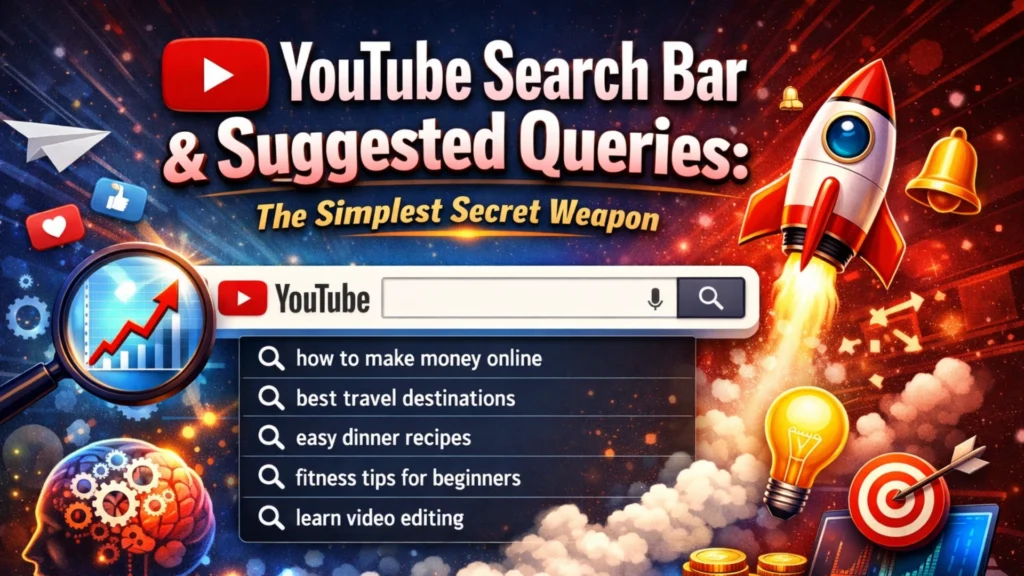
This is arguably the most underrated youtube seo tool free available – the YouTube search bar itself! Start typing a keyword, and YouTube’s autocomplete will show you what people are actively searching for.
How to Use It for SEO:
- Long-Tail Keywords: Type a broad topic (e.g., “video editing tutorial”) and see the longer, more specific phrases that appear (e.g., “video editing tutorial for beginners free,” “video editing tutorial DaVinci Resolve”). These are excellent youtube tools seo for finding niche topics with less competition.
- Topic Ideas: The “People also ask” and “Related searches” sections on Google (for your keywords) can also provide fantastic video ideas.
6. Competitor Channel Analysis (Manual): Learn from the Best

This isn’t a “tool” in the traditional sense, but a powerful strategy using your own observation skills.
How to Use It for SEO:
- Identify successful channels in your niche.
- Analyze their video titles, thumbnails, and descriptions. What makes them compelling?
- Look at their most popular videos. What topics resonate most with their audience?
- Read their comment sections: What questions are viewers asking? These are perfect ideas for your next videos!
- Use VidIQ or TubeBuddy (free versions) to peek at their tags (if available) and general performance metrics.
By consistently using these youtube seo tools free, you’ll gain a deeper understanding of your audience and the YouTube algorithm, setting you on the path to consistent growth.
Stepping Up Your Game: Best YouTube SEO Tools (Paid Options Worth Considering)
Once you’ve mastered the free options, you might find yourself wanting deeper insights, more automation, and advanced features. This is when investing in some of the best youtube seo tools can become incredibly beneficial. While they come with a subscription, their capabilities can significantly accelerate your channel’s growth.
1. VidIQ (Paid Tiers – Pro, Boost, Enterprise)
VidIQ’s paid plans unlock a treasure chest of features beyond the free version:
- Advanced Keyword Research: Access more comprehensive keyword data, including competition scores, related keywords, and trending videos for specific terms.
- Daily Ideas: VidIQ suggests personalized video ideas based on your channel, competitors, and what’s trending.
- Competitor Tracking: Monitor your competitors’ performance, most-watched videos, and keyword strategies in detail.
- Bulk SEO Optimization: Edit titles, descriptions, and tags across multiple videos efficiently.
Why It’s Worth It: For creators serious about growth, VidIQ’s paid tiers provide data-driven insights that can dramatically improve your content strategy and video optimization efforts. It’s one of the best seo tools for youtube for actionable data.
2. TubeBuddy (Paid Tiers – Pro, Star, Legend)
TubeBuddy’s paid subscriptions also offer a powerful upgrade to its free functionality:
- Enhanced Keyword Explorer: Deeper insights into search volume, competition, and suggested keywords.
- A/B Testing: Test different titles, thumbnails, and descriptions to see what performs best with your audience. This is incredibly powerful for optimizing click-through rates.
- Search Rank Tracking: Monitor where your videos rank for specific keywords over time.
- Videolytics: Advanced analytics overlay on any YouTube video, providing detailed performance data.
Why It’s Worth It: TubeBuddy excels in its A/B testing and workflow optimization features. If you want to meticulously test and refine your video elements, this is an indispensable tools for youtube seo.
3. Ahrefs / SEMrush (YouTube Features)
These are industry-leading SEO suites primarily known for website SEO, but they offer powerful video keyword research capabilities for the highly serious creator or business.
- Ahrefs Keywords Explorer: Has a dedicated YouTube section where you can research keywords, see their search volume on YouTube, and identify competing videos.
- SEMrush Keyword Magic Tool: Can also filter keywords specifically for YouTube, helping you uncover high-potential topics.
Why It’s Worth It (for specific users): If you’re running a business that heavily relies on YouTube or manage multiple large channels, these tools offer enterprise-level data that integrates with your overall SEO strategy. They are considered some of the best seo tools for youtube for comprehensive market research.
4. StoryBlocks / Epidemic Sound (Indirect SEO Benefit)
While not direct “SEO tools,” platforms like StoryBlocks (for stock video/templates) and Epidemic Sound (for royalty-free music) are crucial for content quality, which indirectly impacts SEO.
How They Help SEO: High-quality visuals and engaging music keep viewers watching longer, leading to better audience retention and watch time. These are critical signals to YouTube that your content is valuable, which in turn boosts your rankings. Investing in production quality is an investment in your SEO.
By considering these paid youtube seo tools, you’re investing in a more efficient, data-driven approach to YouTube growth. Start with the free options, and when you hit a plateau, explore how these premium tools can give you that extra edge.
The Future is Now: AI Tools for YouTube SEO
Artificial intelligence isn’t just a futuristic concept; it’s already transforming how we approach content creation and SEO. For YouTube, ai tools for youtube seo can be powerful allies, helping you brainstorm, optimize, and even create content more efficiently.
1. ChatGPT / Bard (Generative AI for Ideas & Copy)
These large language models are game-changers for content creators. Think of them as your personal brainstorming partners and copywriters.
- Brainstorming: Ask them for video topic ideas based on keywords, title suggestions, or even full video outlines.
- Description Generation: Provide your video topic and main points, and they can draft engaging descriptions that include your target keywords naturally.
- Script Assistance: Generate intros, outros, or even entire video scripts to save time.
- Keyword Expansion: Give them a broad keyword and ask for related semantic keywords or long-tail variations.
How to Use It for SEO: Use AI to quickly generate multiple options for titles and descriptions, allowing you to pick the most compelling and keyword-rich ones. It’s an incredible ai tools for youtube seo for boosting productivity.
2. AI Video Editors (e.g., Descript for Transcription/Editing)
Tools like Descript utilize AI for transcription, which has a direct impact on YouTube SEO and accessibility.
- Accurate Captions/Transcripts: AI can quickly generate highly accurate captions for your videos. These captions are indexed by YouTube, meaning your video becomes discoverable for the words spoken within it. This is huge for reaching a wider audience and improving SEO.
- Repurposing Content: Transcripts can be easily turned into blog posts, social media updates, or podcasts, extending your content’s reach.
How to Use It for SEO: Always ensure your videos have accurate captions. AI tools make this process faster and more efficient, directly boosting your video’s discoverability through on-screen text.
3. AI-Powered Keyword Tools (Integrated into VidIQ/TubeBuddy)
Many modern youtube seo tools like VidIQ and TubeBuddy are increasingly integrating AI to enhance their keyword suggestions and content analysis features. They use AI to:
- Predict Trends: Identify emerging topics and keywords before they become saturated.
- Personalize Recommendations: Offer video ideas tailored to your channel’s specific performance and audience.
- Analyze Sentiment: Understand the emotional tone of comments to gauge audience reaction.
As AI technology continues to advance, we’ll see even more sophisticated ai tools for youtube seo emerge, making optimization even smarter and more accessible for creators of all levels. Embracing these technologies now will give you a significant edge!
How to Use These Tools for Maximum Impact (A Beginner’s Workflow)
Having all these tools for youtube seo is great, but knowing how to integrate them into a practical workflow is key. Here’s a simple, step-by-step process for beginners to optimize their YouTube videos effectively:
Phase 1: Research & Planning (Before You Film)
This is where you decide what to make and who you’re making it for.
- Brainstorm Initial Ideas: Start with topics you’re passionate about or questions your audience frequently asks. Use the YouTube search bar’s autocomplete and related searches for quick inspiration.
- Keyword Research:
- Free Tools: Use Google Trends to check the popularity of your topic. Head to the YouTube search bar and type in your main idea to see what long-tail variations pop up.
- Freemium Tools (VidIQ/TubeBuddy Free): Use their Keyword Explorer to get basic data on search volume and competition for your primary and secondary keywords (like youtube seo tools or free seo tools for youtube).
- AI Help: Ask ChatGPT or Bard for 10-15 keyword ideas related to your topic, and then validate them with the tools above.
- Competitor Analysis: Watch 3-5 top-ranking videos for your target keyword.
- What are their titles and thumbnails like?
- What points do they cover in their videos?
- Read their comments: What are viewers praising or asking for more of?
- Use VidIQ/TubeBuddy (free) to see their tags and basic performance.
Outcome: A clear video topic, a primary target keyword, a list of secondary keywords, and a good understanding of what successful videos in your niche are doing.
Phase 2: Optimization During Upload (The SEO Sweet Spot)
Once your video is edited and ready, it’s time to optimize every element for discoverability.
- Compelling Title (H1):
- Include your primary keyword (e.g., youtube seo tools) as close to the beginning as possible.
- Make it catchy, intriguing, and benefit-oriented. Aim for 55-60 characters for optimal display.
- Tools Help: Use AI for title ideas, or VidIQ/TubeBuddy’s SEO scorecards to check optimization.
- Detailed Description:
- The first 2-3 lines are critical – make them engaging and include your primary keyword.
- Write a comprehensive summary of your video (200-500 words is a good target).
- Naturally weave in your secondary keywords (e.g., free youtube seo tools, best youtube seo tools, ai tools for youtube seo).
- Include a timestamped table of contents.
- Add relevant links (to your website, social media, related videos on your channel – internal linking!).
- Tools Help: AI can draft this for you. Use VidIQ/TubeBuddy to check keyword density and readability.
- Relevant Tags:
- Include your exact primary keyword, secondary keywords, and related terms.
- Mix broad and specific tags.
- Tools Help: VidIQ and TubeBuddy’s tag explorers are invaluable here, suggesting popular tags and showing their search volume.
- Eye-Catching Thumbnail: While not directly an “SEO tool,” an amazing thumbnail dramatically boosts your Click-Through Rate (CTR), which is a huge ranking factor. Make it clear, high-contrast, and relevant.
- Captions & Subtitles: Upload accurate captions. If your video editor doesn’t generate them, use AI tools for transcription. These are searchable by YouTube!
- End Screens & Cards: Link to other relevant videos on your channel (internal linking) to keep viewers engaged and increase overall watch time.
Outcome: A fully optimized video with a great title, description, tags, thumbnail, and internal links, ready to be discovered.
Phase 3: Post-Upload Analysis & Refinement
Your work isn’t over after publishing! This phase is about learning and iterating.
- Monitor Performance (YouTube Studio Analytics):
- Check your “Reach” and “Audience” tabs regularly.
- How is your video performing in YouTube Search? Which search terms are driving traffic?
- What’s your audience retention like? Where are viewers dropping off?
- Competitor Monitoring (VidIQ/TubeBuddy): Keep an eye on your competitors. Are their new videos performing well? What keywords are they targeting?
- Refine & Update:
- If a video isn’t performing well, consider changing its title or thumbnail based on initial CTR data.
- Update descriptions with new information or more relevant keywords if your initial research missed something.
- Add new cards or end screens to promote recently published content.
Outcome: Continuous improvement based on data, leading to better optimization for future videos and potential boosts for existing ones.
By consistently following this workflow, you’ll be leveraging the power of youtube tools seo to make smart, data-driven decisions that propel your channel forward.
Common Mistakes to Avoid (and How Tools Help You Fix Them!)
Even with the best intentions, it’s easy to fall into common YouTube SEO traps, especially as a beginner. The good news is that your trusty youtube seo tools are there to help you identify and fix these pitfalls!
- Keyword Stuffing: This is the act of jamming too many keywords into your title, description, or tags in an unnatural way. It makes your content unreadable for humans and can actually penalize you with YouTube’s algorithm.
- How Tools Help: Tools like VidIQ and TubeBuddy encourage natural language. Their SEO scorecards will flag overly repetitive keyword usage, nudging you towards a more balanced approach. AI tools can help you craft descriptions that integrate keywords seamlessly and read well.
- Ignoring Analytics: Publishing a video and never looking back at its performance data is a huge missed opportunity. Your YouTube Studio Analytics are telling you exactly what works and what doesn’t.
- How Tools Help: YouTube Studio Analytics is your primary youtube seo tool free here! Regularly checking your traffic sources, audience retention, and search terms will give you direct feedback on your optimization efforts. Paid tools like VidIQ/TubeBuddy offer more granular data and competitor comparisons, making analysis even easier.
- Poor Quality Thumbnails & Titles: These are the first impression of your video. A bland thumbnail or a confusing title will lead to a low Click-Through Rate (CTR), even if your video is amazing.
- How Tools Help: While not design tools, TubeBuddy’s A/B testing feature (paid) allows you to test different thumbnails and titles to see which ones attract more clicks. By analyzing competitor thumbnails (using your manual analysis + VidIQ/TubeBuddy), you learn what stands out.
- Not Optimizing Descriptions: Many beginners treat the description box as an afterthought, simply pasting a short sentence. This is a massive SEO mistake!
- How Tools Help: The various youtube seo tools we’ve discussed emphasize the importance of detailed descriptions. AI tools like ChatGPT can help you quickly generate rich, keyword-optimized descriptions that inform viewers and give YouTube more context about your video.
- Forgetting Internal Linking: Linking to your own related videos helps keep viewers on your channel longer, boosting overall watch time – a key ranking factor.
- How Tools Help: While not automated, understanding the power of internal linking comes from your overall SEO knowledge. Tools like VidIQ/TubeBuddy can show you which of your videos are most popular, helping you decide which ones to link to in end screens and descriptions.
- Inconsistent Upload Schedule: YouTube’s algorithm often rewards channels that consistently publish content, as it keeps viewers coming back.
- How Tools Help: While no tool directly creates a schedule, TubeBuddy’s “Best Time to Publish” feature helps you choose optimal times for your audience, supporting a consistent strategy.
By being aware of these common mistakes and actively using your youtube seo tools to counter them, you’ll be well on your way to creating content that not only engages your audience but also consistently ranks higher in YouTube search.
Conclusion: Your Journey to YouTube Success Starts Now!
Phew! We’ve covered a lot, haven’t we? From the foundational free seo tools for youtube to the more advanced best youtube seo tools and even the exciting world of ai tools for youtube seo, you now have a comprehensive understanding of how to boost your channel’s visibility.
Remember, the goal of YouTube SEO isn’t to trick the algorithm; it’s to help YouTube understand your incredible content so it can connect you with the right audience. By consistently applying the strategies and using the youtube seo tools we’ve discussed, you’re not just optimizing videos—you’re building a sustainable path to growth and community.
Don’t feel overwhelmed by all the options. Start small! Pick one or two youtube seo tool free options, get comfortable with them, and then gradually explore more. Consistency, learning from your analytics, and a genuine desire to provide value to your viewers will always be your most powerful assets.