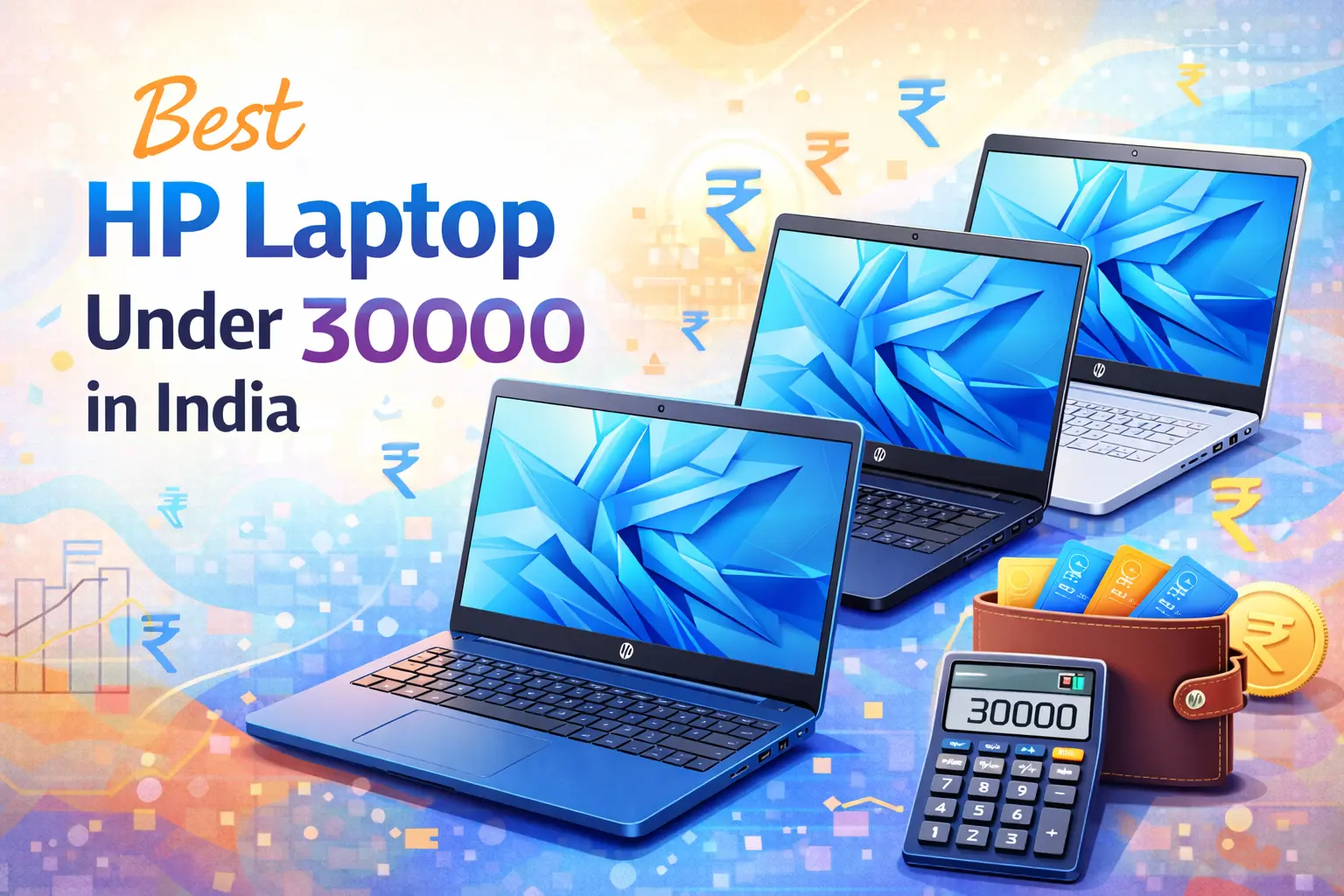

The search for the “best laptop under 30000” in India is one of the most common tech queries. This budget segment is highly competitive, focusing on delivering maximum value for money for students, beginner coders, and everyday home users. While you might not find a powerhouse for heavy gaming or professional video editing, modern technology ensures that for under ₹30,000, you can secure a highly capable machine with fast SSD storage, ample RAM, and respectable processors.
This comprehensive guide will break down the crucial components, highlight the top models from leading brands like Dell, ASUS, and Lenovo, and categorize the best options for specific needs, such as coding, editing, and student use, helping you make the most informed decision.
Key Specifications: What to Expect Under ₹30,000
Before diving into the top models, it’s essential to understand the minimum specifications you should look for in this price bracket to ensure a smooth, future-proof experience. Compromising on these core components can significantly impact performance.
1. The Processor: The Brain of Your Laptop
The processor (CPU) is the single most important component. In the sub-₹30,000 segment, you should aim for the most recent generation possible to benefit from performance and efficiency gains.
| Processor Type | Minimum Generation/Model | Why it’s Important | Best For |
| Intel Core | i3 (12th Gen or 13th Gen) | Offers a good balance of multi-core and single-core performance. The 12th/13th gen is significantly better than older i5s. | General use, students, light coding. |
| AMD Ryzen | Ryzen 3 (7000 Series: e.g., 7320U, 7330U) | Excellent multi-core performance and superior integrated graphics (Radeon). The 7000 series often comes with faster LPDDR5 RAM. | Beginner coding, casual editing, general use. |
| Absolute Minimum | Intel i3 (11th Gen) or AMD Ryzen 3 (5000 Series) | Only if budget is extremely tight and you find a significant deal. Avoid older generations. | Very basic tasks (browsing, documents). |
Processor to AVOID: While tempting due to low prices, avoid Intel Celeron or Pentium processors for anything beyond basic web browsing and note-taking. They lack the power for coding, editing, or heavy multitasking.
2. RAM (Random Access Memory): The Multitasking King
Minimum Requirement: 8GB DDR4 or LPDDR5 RAM.
8GB of RAM is non-negotiable for smooth multitasking, whether you’re juggling multiple browser tabs, running IDEs for coding, or attending online classes via video conferencing. Look for models where the RAM is either DDR4 or, even better, the faster and more modern LPDDR5 (found in many newer Ryzen 3 models). Check if the RAM is upgradable, as some compact models have it soldered to the motherboard.
3. Storage: SSD is a MUST
Minimum Requirement: 512GB SSD.
The Solid State Drive (SSD) is the single biggest performance booster in a budget laptop. It makes the laptop boot up in seconds and loads applications instantly. Absolutely avoid any laptop with only a traditional HDD (Hard Disk Drive).
- 512GB SSD: Recommended standard. Provides ample space for the OS, apps, and plenty of files.
- 256GB SSD: Acceptable if the budget is very strict, but you will quickly run out of space.
4. Display and Graphics
- Display Resolution: Aim for Full HD (1920 x 1080 pixels). Many models in this range still offer only HD (1366 x 768 pixels); choose FHD if possible for better clarity, especially for coding and media consumption.
- Panel Type: IPS or WVA (Wide Viewing Angle) is preferred over a standard TN panel, offering better color reproduction and viewing angles.
- Graphics: You will only find Integrated Graphics (Intel UHD/Iris Xe or AMD Radeon Graphics). AMD’s integrated Radeon graphics generally offer superior performance for light editing and casual gaming compared to Intel UHD.
Top Contenders: Best Laptops Under ₹30,000 in India
Based on current market trends and specifications, here are the leading laptop models in this budget segment. Prices are approximate and subject to change based on sales and bank offers.
| Rank | Model Name | Key Specs | Best For | Approximate Price |
| 1 | Acer Aspire 3 (Intel i3 12th Gen) | i3-1215U (6 Cores), 8GB DDR4 RAM, 512GB SSD, 15.6″ FHD IPS Display | All-Rounder, Students, Office Work | ₹26,000 – ₹27,000 |
| 2 | Lenovo V15 Gen 4 / IdeaPad Slim 3 (Ryzen 3) | Ryzen 3 7320U, 8GB LPDDR5 RAM, 512GB SSD, 15.6″ FHD Display | Multitasking, Portability, Latest Processor | ₹28,000 – ₹30,000 |
| 3 | HP 15 (Ryzen 3 7000 Series) | Ryzen 3 7320U, 8GB LPDDR5 RAM, 512GB SSD, 15.6″ FHD Display | Trusted Brand, Reliable Performance | ₹29,000 – ₹30,000 |
| 4 | ASUS Vivobook Go 15 (Ryzen 3 7000 Series) | Ryzen 3 7320U, 8GB LPDDR5 RAM, 512GB SSD, 15.6″ FHD Display | Stylish Design, High-Frequency RAM | ₹28,500 – ₹29,500 |
| 5 | Dell Inspiron 15 3520/3535 (i3 12th Gen/Ryzen 3) | i3-1215U or Ryzen 3 7320U, 8GB RAM, 512GB SSD, 15.6″ FHD/HD Display | Dependable Build, Customer Support | ₹29,000 – ₹30,000 |
Best Laptop for Students Under ₹30,000
A student laptop needs a perfect blend of portability, long battery life, and enough power for assignments, presentations, and media consumption.
Top Recommendation: Acer Aspire 3 (Intel i3 12th Gen)
The Acer Aspire 3 often represents the best blend of price and performance. The Intel Core i3-1215U is a 6-core processor (2 Performance + 4 Efficient cores), which provides a significant jump in performance over previous generations, handling multitasking with ease.
- Why it’s Great for Students:
- FHD IPS Display: Crucial for reading e-books and viewing content comfortably.
- 512GB SSD: Fast boot-up and quick file access for a seamless learning experience.
- Good Port Selection: Usually includes a full-size HDMI and multiple USB ports for connecting external displays and peripherals for presentations.
Second Best: HP 15 (Ryzen 3 7000 Series)
HP is a trusted name, and their budget offerings are generally reliable. The newer HP 15 models with the Ryzen 3 7320U processor often feature LPDDR5 RAM, which is highly power-efficient and fast, leading to better battery life and responsiveness—key traits for a student carrying a laptop all day.
Best Coding Laptop Under ₹30,000
For aspiring coders, computer science, and engineering students, the laptop’s power needs to be slightly higher. The focus shifts to the CPU’s core/thread count and RAM speed to smoothly run IDEs (Integrated Development Environments) like VS Code, handle basic compiling in Python/Java/C++, and manage virtual environments for web development.
The Clear Winner: Laptop with Core i3 12th/13th Gen or Ryzen 3 7000 Series with 8GB RAM
In this segment, the choice is between the superior single-core performance of the latest Intel i3 or the better multi-core and integrated graphics of the latest Ryzen 3.
- For General Coding (Web, Python, App Dev):
- Acer Aspire 3 (i3-1215U): The i3-1215U’s hybrid architecture (6 cores, 8 threads) is excellent for general development and virtual machine use. It provides a snappier feel for everyday tasks.
- For Engineering Students (Light Simulations, better Integrated Graphics):
- Lenovo V15 Gen 4 / IdeaPad Slim 3 (Ryzen 3 7320U): The AMD Radeon Graphics coupled with the LPDDR5 RAM gives a slight edge in graphical tasks and is better for running light engineering software or basic data science workloads that can leverage the GPU.
Key Features for Coding:
- 512GB SSD: Essential for quick project loading and saving.
- FHD Display: Reduces eye strain, as you’ll be spending long hours looking at code.
- Comfortable Keyboard: Look for a machine with good key travel and spacing (e.g., Lenovo IdeaPad series) for long coding sessions.
Best Editing Laptop Under ₹30,000
Video and photo editing are processor-intensive tasks. While the sub-₹30,000 range is not ideal for professional-grade editing, you can certainly handle basic photo edits in software like GIMP or even light Full HD (1080p) video editing on applications like DaVinci Resolve or basic projects in Adobe Premiere Pro.
The Best Processor for Editing: AMD Ryzen 3 7000 Series
For any task involving graphics, the AMD Ryzen 3 7320U with its AMD Radeon Graphics holds a distinct advantage over Intel UHD graphics in this budget. The integrated Radeon graphics core is significantly more powerful, leading to better rendering times and smoother playback in editing software.
Top Models for Light Editing:
- ASUS Vivobook Go 15 (Ryzen 3 7320U): Often praised for its display quality and faster LPDDR5 memory, which helps process large files more efficiently.
- HP 255 G10 (AMD Ryzen 5 7520U): If you can find a brief sale that pushes the Ryzen 5 variant (7520U) into the ₹30,000 bracket, jump on it. The Ryzen 5 provides two more cores and more powerful integrated graphics, making a noticeable difference in rendering speeds.
Essential Checkpoints for Editing:
- 8GB RAM (LPDDR5 is a bonus): To keep your editing software and media files in memory.
- 512GB SSD: Video files are large; a 512GB SSD is the minimum to store your active project files.
- FHD Display with IPS/WVA Panel: Crucial for accurate color grading and a clearer view of your timeline.
Best Dell, ASUS, and Lenovo Laptops Under ₹30,000
Sticking to a major brand is often a smart choice due to better build quality, easier access to service centers, and reliable warranties.
1. Best ASUS Laptop Under ₹30,000: ASUS Vivobook Go 15 (Ryzen 3 7320U)
ASUS excels at delivering premium features in a budget body.
- Pros: Often features a sleek, lightweight design and excellent battery life. The inclusion of LPDDR5 RAM clocked at 5500MHz is a performance advantage over DDR4 found in competitors.
- Cons: The RAM is often soldered (non-upgradable).
- Key Feature: Look for models with an IPS-level or WVA FHD display for superior viewing quality compared to standard TN panels.
2. Best Dell Laptop Under ₹30,000: Dell Inspiron 15 3520/3535
Dell is a reliable choice known for its sturdy build and excellent post-sales support network across India.
- Pros: Highly reliable brand, robust hinge design, and usually good keyboard quality. Dell often provides options with faster 120Hz refresh rate displays (in some 3520 variants), which offers a much smoother visual experience for media consumption and casual browsing.
- Cons: Can sometimes be slightly heavier than rivals.
- Key Feature: The 120Hz display is a major differentiator in this price range.
3. Best Lenovo Laptop Under ₹30,000: Lenovo IdeaPad Slim 3 or V15 Gen 4
Lenovo is consistently a top performer in the value segment, offering models designed for both professional (V-series) and student (IdeaPad) use.
- Pros: Known for having one of the best keyboards for typing in this segment (ErgoLift hinge in some models). The IdeaPad Slim series is often thin and light.
- Cons: The screen quality can sometimes be a non-IPS/TN panel in some variants.
- Key Feature: Excellent keyboard and good build quality. Many Lenovo budget models still offer upgradable RAM slots, providing a valuable long-term investment.
Choosing the Best Processor for Laptop Under ₹30,000
The battle between Intel Core i3 and AMD Ryzen 3 in the budget segment is tight, but a clear distinction helps in choosing the right one for your needs.
Intel i3-1215U (12th Gen) vs. AMD Ryzen 3 7320U
| Feature | Intel Core i3-1215U (12th Gen) | AMD Ryzen 3 7320U (7000 Series) |
| Architecture | Hybrid (P-Cores + E-Cores) | Zen 2 |
| Cores/Threads | 6 Cores (2P+4E) / 8 Threads | 4 Cores / 8 Threads |
| Single-Core Speed | Slightly Better | Good |
| Integrated Graphics | Intel UHD/Iris Xe | Better (AMD Radeon Graphics) |
| RAM Type | Often paired with DDR4 | Often paired with Faster LPDDR5 |
| Best For | Snappy everyday tasks, web browsing, basic coding. | Light photo/video editing, casual gaming, efficient multitasking. |
Verdict on Processor: For the absolute best all-round performance and future-proofing, target the latest Intel i3 (12th Gen or higher) or the AMD Ryzen 3 (7000 Series). If your use involves more graphical work (light editing/casual gaming), Ryzen 3 7320U is the better choice.
Special Categories: I5, Touchscreen, and More
Best i5 Laptop Under ₹30,000: A Reality Check
It is extremely difficult to find a brand new, current-generation (12th Gen or higher) Intel Core i5 or AMD Ryzen 5 laptop from a major brand under ₹30,000.
- Option 1: Older Generation i5/Ryzen 5: You might find older stock (e.g., Intel i5 10th Gen or Ryzen 5 3500U) priced under ₹30,000. Recommendation: Avoid these. A modern Intel i3 12th Gen or Ryzen 3 7000 Series will significantly outperform an older i5/Ryzen 5 in most real-world scenarios.
- Option 2: Refurbished/Used Market: The only realistic way to get an i5 under ₹30,000 is by looking at reliable refurbished business laptops (e.g., Dell Latitude, Lenovo ThinkPad) with an 8th Gen or 10th Gen i5 processor.
- Option 3: Sales: Keep an eye out for major festive sales (Diwali, Great Indian Festival) where a Ryzen 5 7520U or Intel i5 11th Gen might drop temporarily to the ₹30,000 mark.
Best Touch Laptop / Touch Screen Laptop Under ₹30,000
Touchscreen laptops are rare in this price segment, as manufacturers prioritize core performance components. The few available options are often smaller 2-in-1 convertible models or those running on ChromeOS.
- Lenovo IdeaPad Duet 3 (or similar 2-in-1): These are often detachable 2-in-1 devices with a touchscreen display, running on lower-power processors like Intel Celeron or an older Core i3. They are excellent for content consumption and note-taking but lack the power for coding or heavy multitasking.
Final Verdict and Buying Strategy
Choosing the best laptop under ₹30,000 in India requires balancing your needs with what the budget can realistically provide.
The Best Overall Laptop (All-Rounder)
For the vast majority of users—students, office workers, and general home use—the best combination of value, speed, and modern components is:
Acer Aspire 3 with Intel Core i3-1215U, 8GB RAM, and 512GB SSD.
It offers the best balance of a modern, efficient processor and essential storage/display specs at the most competitive price.
Best for Coding and Engineering Students
Lenovo IdeaPad Slim 3/V15 Gen 4 with AMD Ryzen 3 7320U, 8GB LPDDR5 RAM, and 512GB SSD.
The faster LPDDR5 memory and capable integrated AMD Radeon graphics provide a slight performance advantage for running development environments and managing light project work.
Top Buying Tips for the ₹30,000 Budget:
- Prioritize SSD > RAM > CPU: Never buy a laptop without an SSD. After that, ensure you have 8GB RAM. Only then focus on getting the best CPU generation.
- Choose Latest Gen i3 or Ryzen 3: Avoid older Core i5/Ryzen 5 processors; the latest Core i3 12th Gen or Ryzen 3 7000 Series offers superior performance and power efficiency.
- Check for Windows Pre-installed: Many budget laptops are sold with a DOS (Disk Operating System) to cut costs. Ensure the one you choose comes with Windows 11 pre-installed unless you are comfortable installing an operating system yourself.
- Wait for Sales: If you can wait, major sales events often temporarily bring models with slightly better processors (like the Ryzen 5 7520U or i5 11th Gen) into this price bracket.
Your ideal budget laptop is out there. By prioritizing the core specifications outlined above, you can confidently purchase a machine that will serve your needs well for years to come.
Frequently Asked Questions
Q1. Can I get a good quality best Dell laptop under 30000 or best Asus laptop under 30000?
Yes, absolutely. Both Dell (Inspiron series) and ASUS (Vivobook Go series) offer excellent value-for-money in this segment. Dell often provides a sturdier build and better after-sales service network, while ASUS typically leads with more stylish designs and faster, modern components like LPDDR5 RAM. The best dell laptop under 30000 and the best asus laptop under 30000 usually feature the same competitive Ryzen 3 or i3 processors.
Q2. Is 8GB RAM enough for a best laptop for students under 30000?
Yes, 8GB RAM is the minimum and the standard requirement. For students, 8GB of RAM is perfectly sufficient for multitasking between online classes, browsing research papers (multiple tabs), using MS Office (Word, PowerPoint), and running basic productivity applications. For maximum speed, ensure the laptop is running in dual-channel mode, though this is rare at this price point.
Q3. Can I find a best i5 laptop under 30000 in the market?
No, generally not new. Finding a new, current-generation best i5 laptop under 30000 is extremely difficult. If you see one advertised, it is either an older generation (8th-10th Gen) or a low-power U-series processor. A modern Intel i3 (12th/13th Gen) or AMD Ryzen 3 (7000 Series) processor is far superior in performance and efficiency than an older or low-power i5 processor in this price range.
Q4. Which is better for coding: best i3 laptop under 30000 or a Ryzen 3?
For the best coding laptop under 30000, the choice is very close:
- Intel i3 (12th/13th Gen): Often has better single-core speed, which benefits the responsiveness of IDEs like VS Code and general system snappiness.
- AMD Ryzen 3 (7000 Series): Usually offers superior integrated graphics (Radeon) and better efficiency, which can help slightly with light virtualization or data processing.
Verdict: The latest i3 usually offers a better overall experience for general coding tasks.
Q5. Can I use a laptop under ₹30,000 for gaming?
Casual gaming only. You can run simple eSports titles (like CS2, Valorant, or League of Legends) at low settings with playable frame rates. These laptops only use integrated graphics (Intel UHD/Iris Xe or AMD Radeon). Do not expect to play modern AAA games; for that, you need to extend your budget significantly to find a dedicated discrete GPU (like the GTX 1650/RTX 2050).
Q6. Is it worth buying a laptop with an HDD instead of an SSD to save money?
Absolutely NOT. The SSD (Solid State Drive) is the single biggest performance upgrade you can make in this budget. A laptop with only an HDD will feel sluggish, slow to boot, and frustrating to use. Always insist on a 512GB SSD for any best laptop under 30000 for coding or general use.
Q7. What is the best processor for laptop under 30000?
The current best-in-class processors you should target are:
- Intel: Core i3 12th Gen (e.g., i3-1215U) or 13th Gen (e.g., i3-1305U).
- AMD: Ryzen 3 7000 Series (e.g., Ryzen 3 7320U).
These chips provide a balance of multiple cores and high clock speeds that older Celeron/Pentium/Athlon chips simply cannot match.
Q8. What if I need the best editing laptop under 30000?
For editing, prioritize the AMD Ryzen 3 7000 Series models. AMD’s integrated Radeon Graphics are generally much more capable than Intel’s UHD Graphics for rendering and processing tasks in light photo or video editing software (like GIMP, basic Canva, or light 1080p video clips).
Q9. Are best touch screen laptop under 30000 models worth buying?
Touchscreen models in this budget are typically Chromebooks (running ChromeOS) or very low-spec Windows models. They sacrifice processor and storage power for the touch feature. If touch is not a primary requirement, avoid them and focus on getting an FHD display with a better processor for the best laptop for engineering students under 30000.
Q10. Why is a good keyboard important for a best laptop under 30000 for coding?
A comfortable, reliable keyboard is crucial because coding involves long hours of continuous typing. Look for brands known for good keyboards, such as the best lenovo laptop under 30000 (IdeaPad series), which often feature well-spaced keys and decent travel, reducing fatigue and improving typing accuracy during extended programming sessions.